Water Level Indicator
Published: January 15, 2026
A water level indicator that lights up a series of LEDs based on how much water the sensor is submerged in — the more water, the more LEDs turn on.
📸 Preview
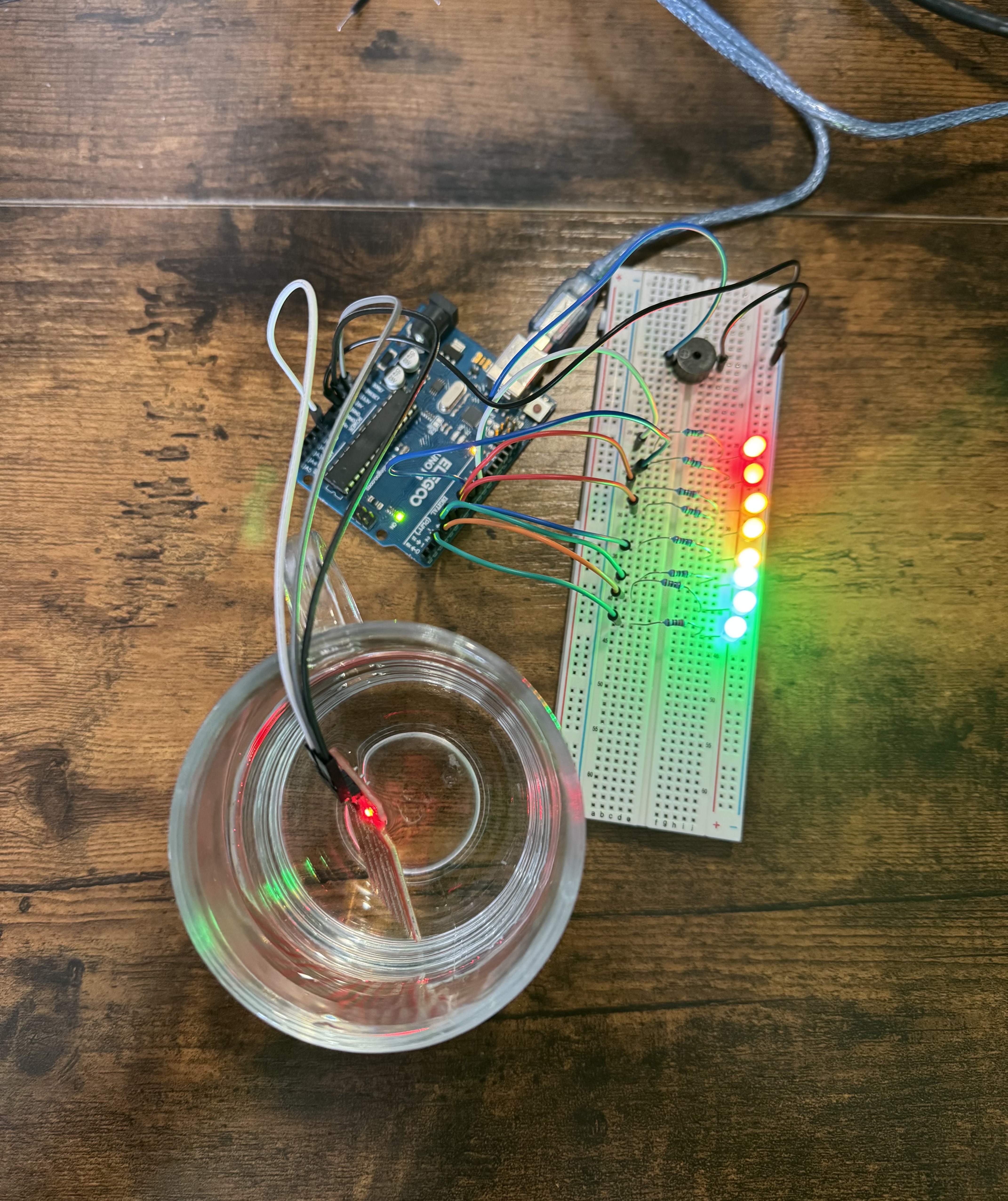
⚙️ How It Works:
- The water level sensor outputs an analog signal depending on how deep it’s submerged.
- The Arduino reads this analog value using
analogRead(). - The value is mapped to a range of 0 to 8 (for 8 LEDs).
- More submerged = more LEDs turned on, bottom to top.
- Acts like a battery meter to show water depth visually.
📦 Components Used:
| Component | Purpose |
|---|---|
| Arduino UNO | Main controller |
| Water Level Sensor | Detects water depth |
| 8 LEDs | Display water level visually |
| 8x 220Ω Resistors | Limit current for LEDs |
| Breadboard + jumper wires | Connections |
| Passive Buzzer | For tone alert when full |
Disclaimer: Some Amazon links may be affiliate links. This means I may earn a small commission at no extra cost to you.
🔌 Wiring Instructions
🌊 Water Level Sensor
| Sensor Pin | Connect To |
|---|---|
| VCC | 5V |
| GND | GND |
| A0 | A0 on Arduino |
🔊 Passive Buzzer
| Component | Connect to |
|---|---|
| Buzzer + | D10 |
| Buzzer – | GND |
💡 LEDs (x8)
| LED # | Color | Pin | Note |
|---|---|---|---|
| 1 | Green | D2 | Lowest water level |
| 2 | Green | D3 | |
| 3 | Green | D4 | |
| 4 | Yellow | D5 | Mid-level |
| 5 | Yellow | D6 | |
| 6 | Yellow | D7 | |
| 7 | Red | D8 | Warning level |
| 8 | Red | D9 | Tank full |
Each LED's anode (long leg) connects to Arduino via a 220Ω resistor. Each cathode (short leg) → GND rail.
✅ Code
Language: C++
const int sensorPin = A0;  // Water level sensor analog output

// LED pins from D2 to D9
const int ledPins[] = {2, 3, 4, 5, 6, 7, 8, 9};
const int numLEDs = 8;
const int buzzerPin = 10;

void setup() {
  pinMode(buzzerPin, OUTPUT);

  for (int i = 0; i < numLEDs; i++) {
    pinMode(ledPins[i], OUTPUT);
  }
  Serial.begin(9600); // For debugging water level
}

void loop() {
  int sensorValue = analogRead(sensorPin); // Read water level (0–1023)
  Serial.println(sensorValue);             // Optional: view sensor output

  // Map sensor value to number of LEDs (0–8)
  int level = map(sensorValue, 100, 350, 0, numLEDs);
  level = constrain(level, 0, numLEDs); // Keep within LED range

  // Light up LEDs based on water level
  for (int i = 0; i < numLEDs; i++) {
    digitalWrite(ledPins[i], i < level ? HIGH : LOW);
  }

  // Turn on buzzer if water level is too high
  if (level >= 8) { // Top 2 LEDs lit
    tone(buzzerPin, 1000);  // 1kHz beep
  } else {
    noTone(buzzerPin);
  }

  delay(100);
}
🚀 Uploading the Code
- Open Arduino IDE
- Paste the code
- Select your Arduino UNO board and port
- Click Upload ↑